Skylized – Procedural Painted Skies for Blender
# Skylized – Create Procedural Painted Skies in Blender
Want to create skies that look like paintings rather than photographs? Skylized is a Blender add-on that generates procedural painted skies using real 3D clouds covered in brush strokes.
From clear blue skies to dramatic storms, you can customize cloud shapes, control the sun's position, and create atmospheric backgrounds for both still images and animations.
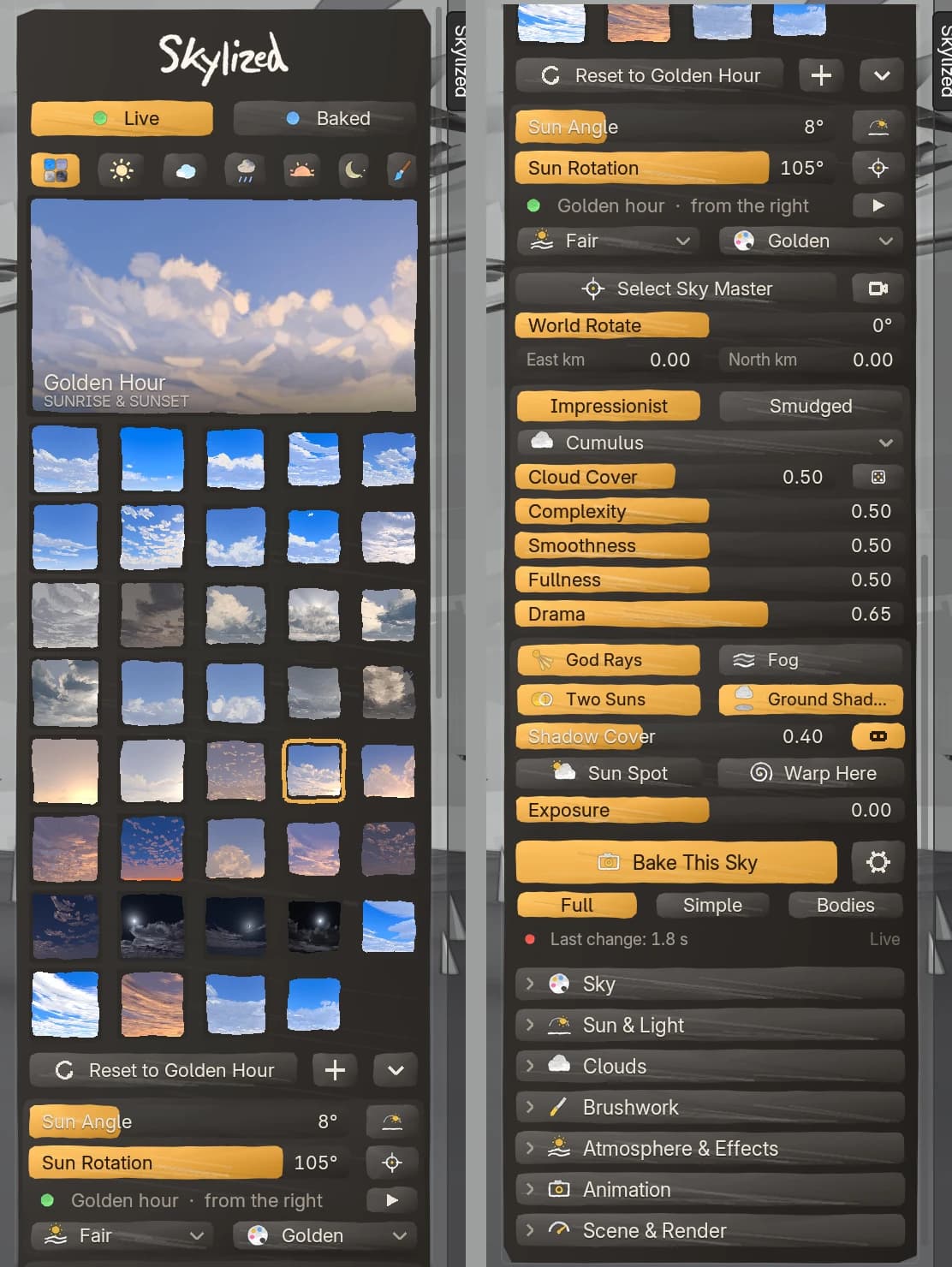
Simply open the Skylized panel, choose one of its 39 sky presets, and your sky is automatically generated and composed for your camera.
Key Features
- 39 Sky Presets: Explore a collection of painted skies organized by type.
- Procedural 3D Clouds: Every cloud is a real 3D shape, allowing you to create more depth and control over your sky.
- Painted Brush Strokes: Clouds are lit and covered with brush strokes to achieve a distinctive painted appearance.
- Custom Sun Position: Place the sun wherever you want to control the lighting and atmosphere.
- Different Sky Styles: Create everything from clear blue skies to dramatic stormy environments.
- Live Adjustments: Shape and customize your sky before baking it.
- Baking System: Bake your sky for faster adjustments without relying on the live version.
- Camera Matching: The baked result matches the live sky pixel for pixel when viewed through your camera.
- Photoshop Integration: Open your baked sky in Photoshop with one click for additional manual editing.
- Animation Support: Create painted skies for both still renders and animated scenes.
How Skylized Works
Skylized combines real 3D cloud shapes with a painted brush-stroke appearance.
You can explore the different visual layers of the clouds: the cloud masses, the brush strokes themselves, or both together.
The workflow is straightforward:
- Open the Skylized panel in Blender.
- Choose one of the 39 available sky presets.
- Adjust the cloud shapes and sun position.
- Bake your sky when you're happy with the result.
- Continue making adjustments without the performance cost of the live version.
The add-on is designed around EEVEE, with responsive controls that make it easier to experiment with different sky compositions.
Compatibility and Installation
Skylized is currently in Beta and requires Blender 4.2 or later. It is tested with Blender 5.2.
To install it:
Final Thoughts
Skylized offers a different approach to creating skies in Blender. Instead of relying on photographic HDRIs, it lets you build stylized environments with real 3D clouds and painted brush strokes.
With 39 presets, customizable lighting, baking, and Photoshop integration, it's an interesting tool for artists looking to give their Blender scenes a painterly atmosphere.